AI Video Generator Black Friday 2026 - Honest One-Time Packs
Plan a Black Friday AI video project without fake countdowns. Compare one-time credit packs, see what a clip costs and start with a still image.
AI Raindance Video 편집팀 · 2026년 10월 8일 업데이트
What This Page Is Actually For
Most Black Friday pages try to sell you before you understand the product. This one works the other way around. The goal is to help you decide whether a seasonal AI video project is worth your credits, and to show you exactly how the tool behaves before you spend anything.
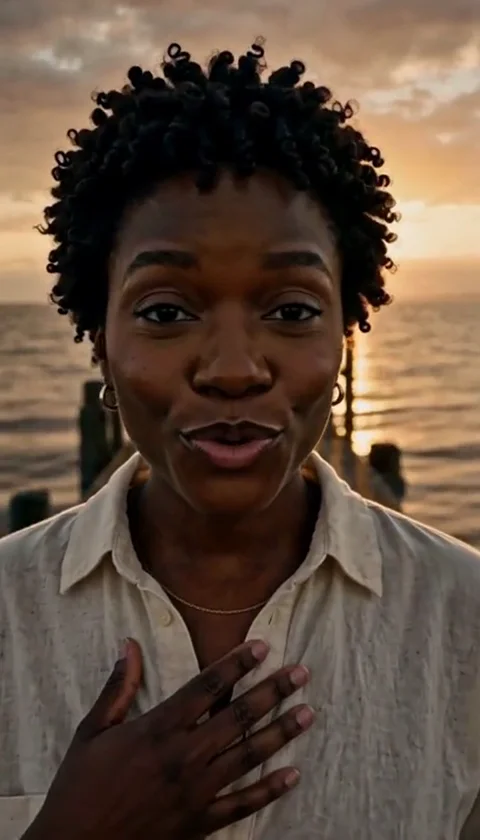
Here is the short version of what this tool makes. You start with a photo of an adult who has consented to appear. You pick a look, and the system renders a still image of that person in that direction. Then you can turn the still into a short video. Videos are 8-10 seconds, silent MP4 files. You add your own music afterward.
That is the whole product. No subscriptions, no monthly plan, no auto-renewal. Credits come in one-time packs. When they are gone, they are gone, and you decide whether to buy more.
If that sounds refreshingly boring, good. Boring is what you want from a tool you are about to pay for.
The Real Black Friday Offer
Let's be precise about what is and is not happening here.
What you get: one-time credit packs. You buy credits, you keep them, and you spend them on image looks and video generations. There is no recurring charge and no subscription trap to cancel later.
What things cost: an image look costs 20 credits. A video generation costs 100 credits. That means one finished clip, starting from a look you have not yet generated, runs 120 credits. If you already have a still you like, it is 100.
What you do not get: fake countdown timers, invented "was" prices, or claims that seats are running out. This page will not tell you a discount exists unless it does. Check /black-friday for the current published offer and /pricing for the full credit breakdown.
One honest note on budgeting. A 100-credit video generation is not a trivial spend, so treat your first few generations as tests rather than final products. More on that below.
How to Test the Product Before Black Friday
The smartest thing you can do before a sale is learn how the tool fails. Every generative system has failure modes, and knowing yours in advance saves credits later.
Step 1: Start with a still image
Image looks cost 20 credits. That is one-fifth of a video generation, which makes stills the cheapest way to learn how a look treats a specific face, lighting setup, and photo quality.
Generate a look. Look at it closely. Does the face still read as the person in the photo? Does the styling match the direction you picked? If the still is wrong, the video will be wrong too, and you will have spent 100 credits finding out.
Step 2: Understand the photo requirements
This matters more than any setting. Photos must be of adults, and you need their consent to use them. One photo is enough for a solo clip. Duets require two separate photos, one per person.
Blurry photos, heavy filters, group shots where one face is tiny, and photos with unusual angles all make the output less predictable. A clean, well-lit, front-facing photo of one adult is the safest input.
Step 3: Generate one video and watch it end to end
Eight to ten seconds is short. Watch the whole clip. Check the face at the start, the middle, and the end. Check hands and edges if they appear. Check whether the motion feels natural or rubbery.
Because the MP4 is silent, you are judging visuals only. Plan your music separately.
Step 4: Know what happens when a job fails
Failed jobs return credits. That is the policy, and it is worth knowing before you panic about a stuck generation. Moderation also runs before and after generation, so a job can be stopped at either stage. If your photo or prompt trips moderation, you will not get a video, and you should not treat a moderation stop as a technical glitch to work around.
Step 5: Check the routing, if you care about reliability
Image routing runs through KIE, with fal, Replicate, and WaveSpeed as fallbacks where supported. You do not need to manage this. It exists so that a single provider hiccup does not take the whole tool down. Moderation runs through SEEAPI.
A Practical Pre-Purchase Checklist
Run through this before you buy credits for a Black Friday project.
- I have a clear, well-lit photo of an adult who has given consent
- For a duet, I have two separate photos, one per person
- I have generated at least one 20-credit image look and I like the result
- I have generated at least one 100-credit video and watched it fully
- I understand videos are 8-10 seconds and silent
- I have a music track ready to add in my own editor
- I know failed jobs return credits and moderation runs twice
- I have read the current offer on /black-friday
- I have checked pack sizes on /pricing
- I have a realistic count of how many final clips I need
That last item is the one people skip. If you need six finished clips and expect two attempts per clip, budget for twelve video generations, not six.
What a Black Friday Video Can Be Used For
Short, silent, stylized clips suit certain formats better than others. Here is where they tend to work.
Seasonal social posts. A ten-second loop with your own music underneath is a natural fit for short-form feeds. The silence is not a limitation if you are adding a track anyway.
Party and event invites. A stylized clip of the guest of honor, sent as a message, lands better than a static graphic.
Profile and channel art. A short animated loop can work as a header or intro sting.
Gift-reveal messages. Send someone a clip of themselves in a themed look. It is a small, strange, memorable gesture.
Creative experiments. Some people just want to see what a look does to a photo. That is a legitimate use of 120 credits if you enjoy it.
The looks available include directions like Midnight Rain, Haunted Unicorn, Cosmic Princess, and Glam Skeleton. These are original creative directions, not licensed character copies. If you are expecting a specific franchise character, you will be disappointed, and you should know that before you buy.
Cyber Monday and Christmas Are Separate Pages
Black Friday is one moment, not the whole season. Cyber Monday gets its own page and its own offer, and Christmas planning is separate again. Do not assume the Black Friday terms carry over, and do not assume a Cyber Monday deal will be better or worse. Check each page when it goes live.
Practically, this means you should decide what you actually need before the season starts. If your project is a December gift message, you may not need to buy during Black Friday at all. If you want to spend the weeks before December testing looks, buying earlier makes sense.
What Happens After the Sale
Credits are one-time packs. There is no subscription to cancel, no renewal date, and no surprise charge. Whatever you buy stays in your account until you spend it.
That cuts both ways. It means no pressure to use credits before a billing cycle resets. It also means you should buy roughly what you will use, not a giant pack "because it is a deal." A pack you never spend is not a saving.
If a generation fails, credits return to your balance. If moderation stops a job, that is a content decision, not a billing error, and you should review your photo and inputs before trying again.
FAQ
How many credits does one finished video cost? A video generation is 100 credits. If you also need to generate the still image first, add 20 credits for the look, for 120 total. If you already have a still you like, it is 100.
Is there a subscription? No. Credits are one-time packs. There is no recurring plan and nothing to cancel.
Can I use a photo of a friend or family member? Only if they are an adult and have given consent. Photos must be of adults with consent. For duets, you need two separate photos, one per person.
What if my video generation fails? Failed jobs return credits. Moderation runs before and after generation, so some jobs stop for content reasons rather than technical ones.
Can I add music to the video? Yes, but you add it yourself. The generated file is a silent MP4, 8-10 seconds long. Bring your own track and edit it in your preferred tool.
Start With a Still, Not a Splurge
The best Black Friday purchase is the one you understood before you made it. Generate a 20-credit look, look at it honestly, then decide whether a 100-credit video is worth it for your project.
When you are ready, review the current offer on /black-friday and confirm pack sizes on /pricing. Then buy what you will actually use, and keep a couple of generations in reserve for retries.