AI Halloween Trends 2026 - What People Are Searching For
A practical 2026 Halloween trend map for AI image and video creators: costume searches, low-difficulty keywords and the looks worth testing.
Team editoriale di AI Raindance Video · Aggiornato l'8 ottobre 2026
Why 2026 Halloween Planning Starts Earlier Than You Think
Halloween search demand does not spike overnight. It builds in waves: early costume brainstorming in late August, serious buying intent through September, and a frantic final week in October when people realize the party is in four days. If you are building AI Halloween content or testing looks for yourself, the useful work happens before the wave, not during it.
This guide is a production plan, not a trend list. It maps the 2026 Halloween season onto what AI image and video tools can actually do well, which searches are worth targeting, and how to spend credits without guessing. If you want the trend overview first, start with the AI Halloween Trends 2026 hub and come back here for the how.
The Trend Is Not the Keyword
Every October, a long list of Halloween keywords spikes. Most of them are content searches, not tool searches. Someone typing "scary pumpkin carving ideas" wants a gallery of photos. Someone typing "glam skeleton makeup tutorial" wants a video walkthrough. Neither is necessarily looking for an AI generator.
The searches with a real AI use case share a pattern: the person wants a result they can use, and they cannot easily produce it themselves. A costume concept they can visualize before buying supplies. A character portrait for a party invite. A short video clip to post. Those are the queries where an AI tool earns its place in the result.
So the first filter for any 2026 Halloween idea is simple. Ask what the searcher wants to do next. If the answer is "look at examples," you are building content. If the answer is "make something," you are building a tool page.
The Looks With the Clearest AI Use Case
Not every costume translates well to AI. Masks with complex hardware, licensed characters, and anything requiring precise text or logos tend to fail. The looks that work best are original directions with strong visual identity, clear lighting, and a silhouette the model can interpret.
Here are four directions worth testing this season, each available as an original look rather than a licensed character copy:
Haunted Unicorn. A dark-fantasy take on a familiar costume. The appeal is contrast: a whimsical idea rendered with moody lighting and texture. It works for portraits because the concept is instantly readable at thumbnail size, which matters for social posts.
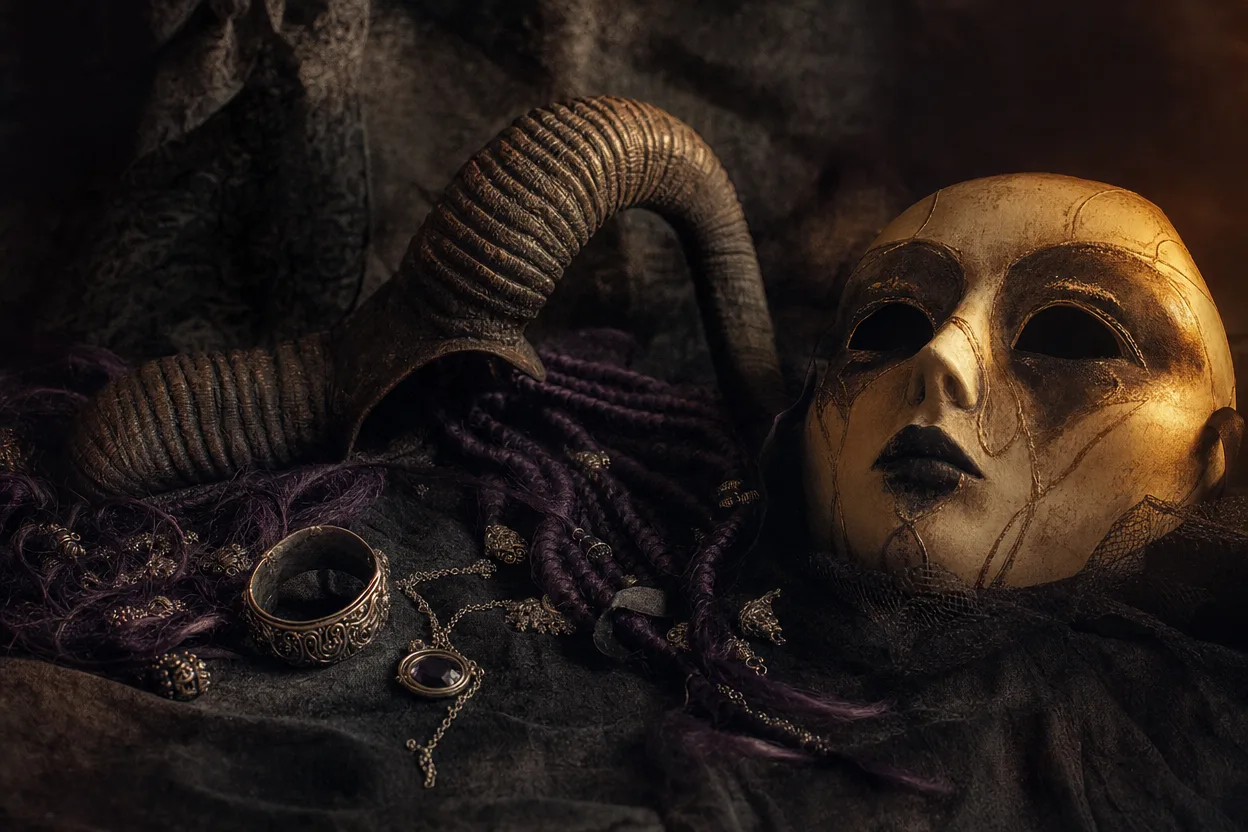
Midnight Braids. A braided, nocturnal look that leans on hair detail and low light. This is a good test case for image quality, because braids are where AI models either hold structure or fall apart. If the braids survive, the look is usable.
Cosmic Princess. Celestial styling, deep blues and purples, and a costume silhouette that reads clearly in a vertical frame. This direction suits both solo portraits and duet compositions, since the styling leaves room for a second figure.
Glam Skeleton. The most seasonal of the four. Skeleton makeup is a Halloween staple, but the glam version is a styling challenge rather than a costume challenge, which is exactly where AI image generation is strongest.
Each of these is an original direction, not a copy of a film or franchise character. That distinction matters for moderation and for what you can safely publish.
What It Actually Costs to Test a Look
Before you spend anything, know the math. An image look costs 20 credits. Video generation costs 100 credits. Credits come in one-time packs with no subscription, so you are not locked into a monthly bill to experiment.
That pricing structure changes how you should test. A sensible sequence is:
- Generate one image look first (20 credits). Check the silhouette, the lighting, and whether the concept reads at small size.
- If the image works, generate video (100 credits). Video is 8-10 seconds and silent MP4, so plan to add your own music afterward.
- If the image does not work, adjust your input photo or try a different look before spending on video.
You can see the full pack breakdown on the pricing page. The important habit is to treat the 20-credit image as a cheap proof before the 100-credit video commitment.
Input Rules That Save You a Failed Job
Most failed generations trace back to the input photo, not the prompt. The rules are straightforward and worth reading twice:
- Photos must be of adults, with consent.
- Solo looks use one photo.
- Duets use two separate photos, one per person.
- Moderation runs before and after generation.
That last point is why a photo that looks fine to you can still fail. Moderation is not a formality; it is a gate on both ends of the process. The good news is that failed jobs return credits, so a rejection costs you time rather than money. Still, a clean, well-lit, front-facing photo of an adult with consent clears the gate far more reliably than a cropped group shot or a blurry selfie.
Why Low Keyword Difficulty Is Not a Guarantee
Keyword difficulty scores measure competition, not intent. A low-difficulty Halloween keyword can still be a bad target if the searcher wants a tutorial, a shopping list, or a printable. You will rank, and nobody will convert.
The 2026 trap is volume without use case. "Halloween costume ideas" is enormous and almost useless for a tool page. "AI skeleton portrait generator" is smaller and far more valuable, because the person typing it has already decided they want a generated image.
Use difficulty as a tiebreaker, not a strategy. Pick the query where the searcher's next action matches what your page does. Then check whether the look you are promoting actually produces a good result for that query. A trend page that sends people to a look that generates poorly is worse than no page at all.
The 2026 Content Calendar That Makes Sense
The Halloween window rewards sequencing. A workable calendar for AI look content:
Late August to early September: build and test. Generate image looks for each direction. Keep the ones that hold up. Write the pages while you still have time to fix weak results.
Mid-September: publish tool pages. Get the look pages live before search demand peaks. This is also when you generate video for the looks that passed the image test.
Early October: publish content pages. Trend roundups, styling guides, and "how to pull off this look" pieces. These capture the browsing wave.
Mid-to-late October: refresh and reprioritize. Check which looks are getting attention and which pages are converting. Move links toward the winners.
After Halloween: document what worked. The 2027 plan starts with this year's data, not next year's keyword tool.
A Practical Pre-Spend Checklist
Run through this before you commit credits to any 2026 Halloween look:
- The searcher's next action is "make something," not "read something."
- The look is an original direction, not a licensed character.
- Your input photo is a clear, front-facing shot of an adult with consent.
- For duets, you have two separate photos ready.
- You have budgeted 20 credits for the image test before 100 for video.
- You know video is silent, so you have a music plan.
- You have read the moderation rules and expect a pre- and post-check.
- You have a page or post ready to publish if the look works.
If any box is unchecked, fix it first. The credits are one-time, but the season is not.
How This Site Is Responding
The 2026 plan here is deliberately narrow. We are testing the four looks above, publishing tool pages for the ones that generate well, and keeping the trend hub honest about which searches are content rather than tools. Image routing runs through KIE with fal, Replicate, and WaveSpeed fallbacks where supported, and moderation uses SEEAPI. That infrastructure matters less to you than the output, but it explains why a failed job returns your credits instead of vanishing them.
The broader trend map, including the searches we are watching and the ones we are skipping, lives on the AI Halloween Trends 2026 page. Start there if you want the full picture before you spend.
FAQ
How many credits does it take to test one Halloween look? Twenty credits for an image look. If the image works, video generation costs 100 credits. Credits are one-time packs with no subscription.
Can I use a photo of two people for a duet? No. Duets require two separate photos, one per person. Solo looks use one photo.
What happens if my generation fails moderation? Moderation runs before and after generation. Failed jobs return credits, so you lose time but not money.
Is the video ready to post as-is? It is an 8-10 second silent MP4. You add your own music before publishing.
Are these looks copies of movie or franchise characters? No. Every look is an original direction, not a licensed character copy. That keeps them usable and keeps moderation predictable.
The Bottom Line
The 2026 Halloween season rewards preparation over volume. Pick looks with a clear AI use case, test them cheaply with a 20-credit image before committing 100 credits to video, and publish tool pages before the search wave peaks. Check the trend hub for the full map, and the pricing page before you buy credits. The season is short; the plan should not be.