AI Halloween Dance Video - Put a Costume Into a Scene
Make a short AI Halloween dance video from a photo. Pick a prepared scene, keep the costume readable and add your own music before posting.
Equipo editorial de AI Raindance Video · Actualizado el 8 de octubre de 2026
Why a dance clip is the right Halloween format
Most Halloween video ideas fail for the same reason: they try to do too much. A full scene, a full story, a full transformation. Dance clips work because they narrow the problem. The body has to stay coherent while the costume moves, and that's the hard part. Everything else - the set, the lighting, the mood - can be prepared in advance.
On airaindancevideo.org, that's the whole idea. You bring one or two adult photos, pick a prepared scene, and get an 8-10 second silent MP4 of your subject dancing in costume. You add the music yourself. No timeline, no keyframes, no virtual set to build.
This guide is written for someone about to spend credits. Read it first, then decide.
Choose a scene before you choose a costume
The instinct is to start with the costume. Resist it. The scene determines what the costume has to do, and a costume that fights the scene will morph.
Each look is an original direction, not a licensed character copy. That matters for two reasons: you won't get a recognizable IP costume, and you shouldn't expect one. What you get is a mood.
Here's how the four prepared looks behave in practice:
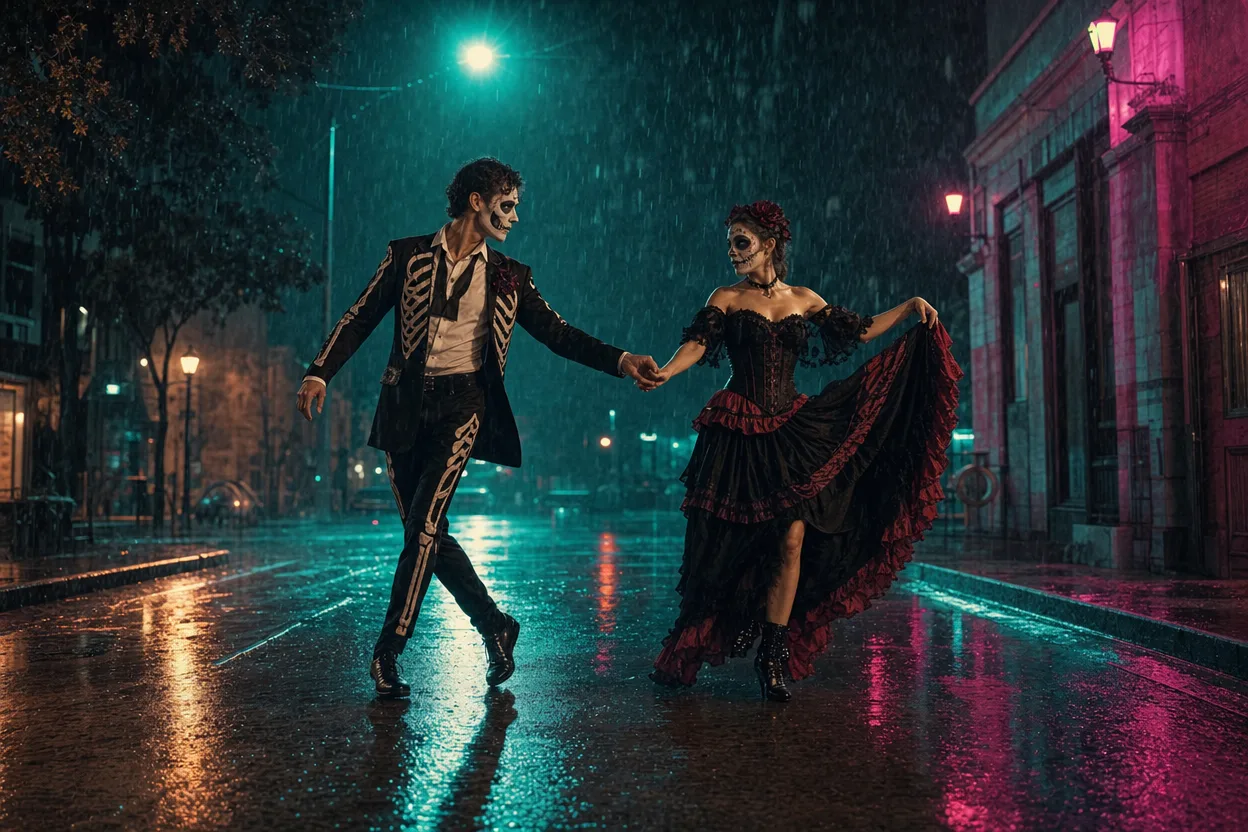
Midnight Rain - dark, wet, reflective. High contrast between costume and background. Great for anything with a silhouette: long coats, capes, wide hats. Bad for costumes that rely on fine detail in shadow, because the rain texture competes with it.
Neon Witch - saturated colored light, strong rim lighting. Costumes with a single bold color read best. If your costume is mostly black with small accents, the neon will swallow the accents.
Haunted Unicorn - softer, more whimsical palette. Works for pastel or playful costumes. Less forgiving if you're going for menace; the scene sets the tone and you can't override it.
Glam Skeleton - high-fashion, graphic, strong contrast. Bone and skull motifs read clearly. So do metallic and structured costumes. Busy prints get lost.
Pick the scene that matches the shape of your costume, not just its theme. A witch in a flowing black dress belongs in Midnight Rain. A witch in a neon-green bodysuit belongs in Neon Witch. Same character, different scene, very different result.
One photo or two?
Solo clips use one photo. Duets use two separate photos - one per person, not a single photo with two people in it.
That distinction trips people up. If you have a photo of two friends together and you want a duet, you need to split it or find individual shots. Two separate, clear photos of each adult work best.
A few practical notes on source photos:
- Adults only, with consent. Every person in the photo must be an adult and must have agreed to this. Moderation runs before generation and will reject anything that doesn't clear that bar.
- Face and body visible. A cropped headshot won't give the model enough to work with for a full-body dance.
- Even lighting beats dramatic lighting. A phone photo in daylight usually outperforms a moody portrait, because the model has more information to preserve.
- Plain backgrounds help. The scene replaces the background anyway, but a cluttered source photo can bleed into the result.
If you're doing a duet, match the two photos. Similar framing, similar lighting, similar distance from camera. Mismatched sources produce mismatched results, and no amount of scene selection fixes that.
How to keep the costume from morphing
This is the real risk with dance clips. The body moves, the fabric moves, and the model has to keep track of what's what. Costumes morph when the design is ambiguous.
Three rules cut most of it:
1. Reduce the number of distinct elements. A costume with a hat, a mask, gloves, a belt, a cape, and a prop is six things that can each drift. Pick two or three. A cape and a mask will hold. A cape, a mask, gloves, a belt, and a staff probably won't.
2. Avoid thin, trailing, or transparent details. Veils, chains, dangling jewelry, fishnets, and sheer overlays are the first things to break down. They have no stable shape for the model to track.
3. Keep the silhouette readable. If you can't identify the costume from a black silhouette, the model can't either. Structured shapes - shoulders, skirts, hats, boots - survive movement. Loose, formless shapes don't.
One more: asymmetry is harder than symmetry. A single shoulder pad or one long glove is more likely to drift than a matched pair. If you have a choice, go symmetric.
A simple workflow for a Halloween dance clip
Here's the sequence that wastes the fewest credits.
- Pick your scene first. Look at the four looks and choose based on your costume's shape and color, not its theme.
- Prepare your source photo. Adults only, consent confirmed, face and body visible, even lighting, plain background.
- Simplify the costume. Cut it down to two or three distinct elements. Remove anything thin or trailing.
- Generate the image look first. This costs 20 credits and shows you how the scene and costume combine before you commit to motion.
- Check the still. If the costume already looks wrong in a static frame, it will look worse in motion. Fix the source or change the scene.
- Generate the video. This costs 100 credits and produces an 8-10 second silent MP4.
- Add your own music. The clip is silent by design. Pick a track, match the cut to the beat, and you're done.
The image step is the one people skip. Don't. Twenty credits to find out your costume reads badly in a scene is cheap. A hundred credits to find out is not.
A practical checklist before you spend
Run through this before you hit generate:
- Every person in the photo is an adult and has given consent
- Solo: one photo. Duet: two separate photos, one per person
- Face and full body are visible in each photo
- Lighting in the source is even, not dramatic
- Background in the source is plain
- Scene chosen based on costume shape and color
- Costume reduced to two or three distinct elements
- No veils, chains, sheer overlays, or dangling details
- Silhouette is readable
- Image look generated and reviewed before video generation
- Music track chosen and ready to add afterward
What to do with the finished clip
You get a silent 8-10 second MP4. That's short, and short is an advantage for Halloween content - it's the length people actually watch to the end.
Add music that matches the scene's energy. Midnight Rain wants something low and heavy. Neon Witch wants something with a pulse. Haunted Unicorn wants something playful. Glam Skeleton wants something sharp.
Then post it where short vertical video lives. Loop it if the platform allows - a clean 8-second loop reads as intentional. If you're making a duet, the two-person clip is your hook; lead with it.
Cost and honesty
The pricing is simple and there's no subscription. Credits are one-time packs. An image look costs 20 credits. Video generation costs 100 credits. A solo clip, done properly with one image check, is 120 credits. A duet is the same, because the two photos feed one generation.
Failed jobs return credits. Moderation runs before generation and after, using SEEAPI. Image routing goes through KIE, with fal, Replicate, and WaveSpeed as fallbacks where supported - which means a routing problem on one provider doesn't automatically cost you the job.
What we won't tell you is that every clip works. Some costumes don't survive motion no matter how carefully you prepare them. Some source photos don't give the model enough to work with. The image step exists precisely so you find that out for 20 credits instead of 100.
If you're ready, start with the AI Halloween Dance Video page and pick your scene. If you want to see how credits work before committing, check the pricing page.
FAQ
How long is the finished video? 8-10 seconds, delivered as a silent MP4. You add your own music afterward.
Can I make a duet? Yes. Duets use two separate photos, one per person. Not a single photo containing two people.
What happens if generation fails? Failed jobs return credits. Moderation also runs after generation, and content that doesn't clear it won't be delivered.
Are the looks based on real Halloween characters? No. Each look is an original direction, not a licensed character copy. You're getting a mood and a scene, not a specific franchise costume.
Do I need a subscription? No. Credits are one-time packs. An image look is 20 credits and video generation is 100 credits, so a typical solo clip with one image check runs 120 credits.